Description
Struggling to stay consistent on Instagram, TikTok, or Pinterest?
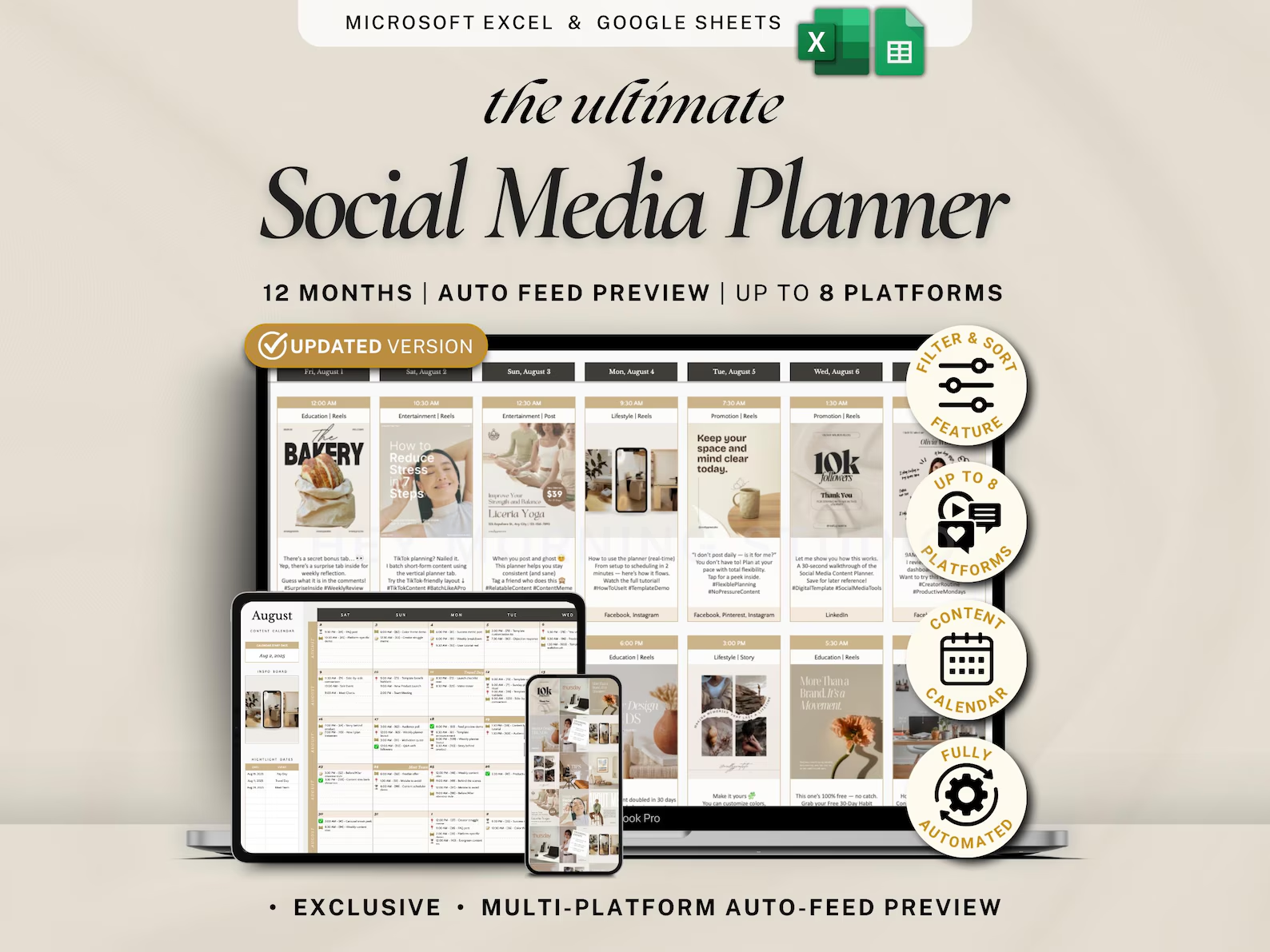
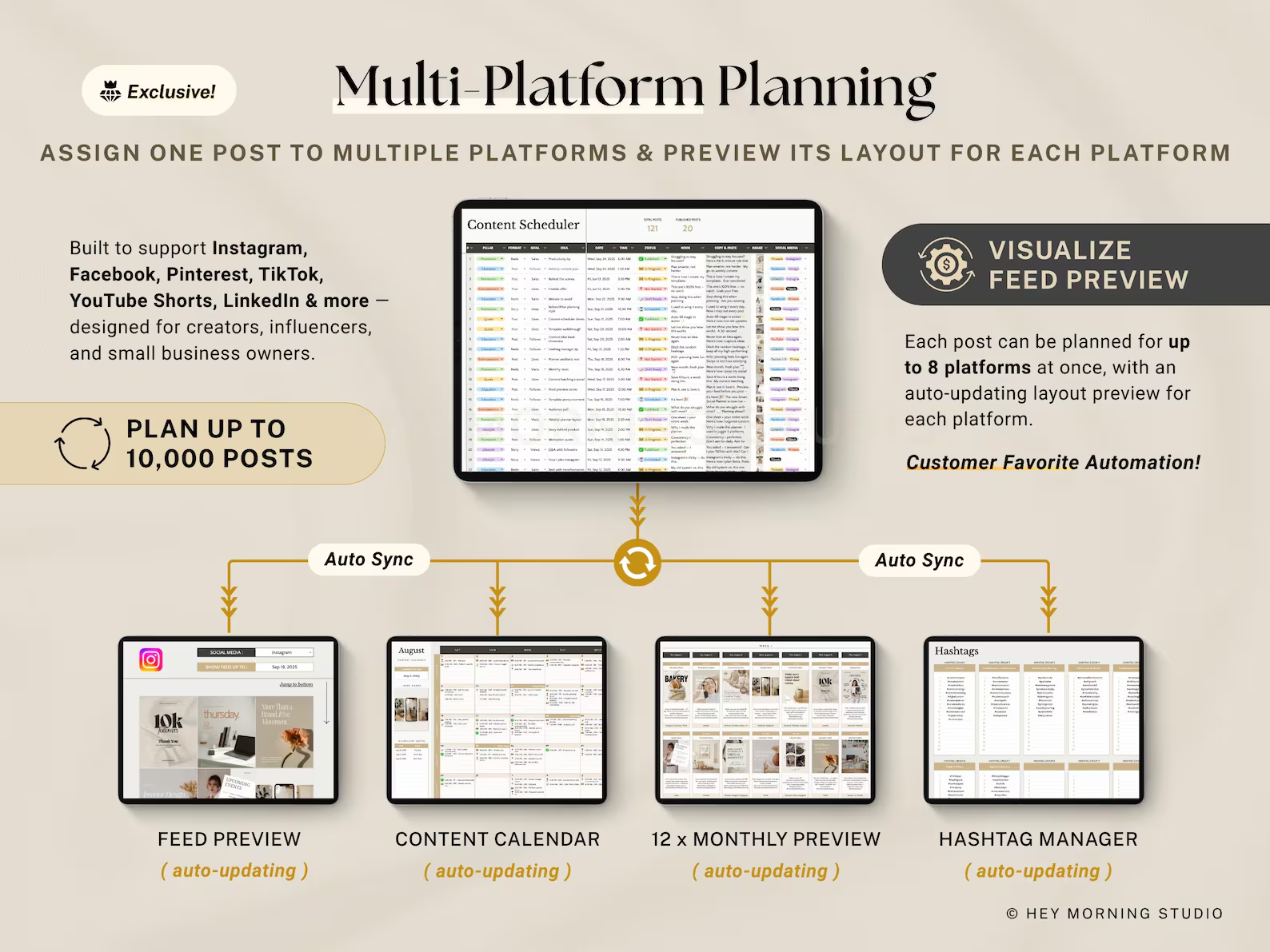
This Social Media Content Planner spreadsheet is your go-to tool to plan, schedule, and visually manage posts across platforms—perfect for content creators, influencers, coaches, and small business owners. Built in Google Sheets and Excel, it features a 12-month visual plan, smart monthly calendar, and auto feed preview to help you stay organized and show up online with confidence.
——————————————-
💛 Watch the DEMO VIDEO before you buy — it’s the easiest way to see exactly what you’re getting!
🎥 https://youtu.be/K7S4xwh7RzA
🎨 Link to the DARK THEME version:
👉 https://www.etsy.com/in-en/listing/1863079535/social-media-content-planner-google
——————————————-
🗂️ 19 SPREADSHEET TABS + FULL SETUP INSTRUCTIONS
✓ Setup
✓ Content Scheduler
✓ Monthly Plan (12 tabs)
✓ Feed Preview
✓ Smart Calendar
✓ Hashtag Manager
✓ Performance
✓ Idea Bank
📥 YOU WILL RECEIVE 📥
→ A PDF with the link to the Social Media Planner spreadsheet for Google Sheets
→ An Excel version of the Social Media Planner spreadsheet
→ Full setup instructions included in your template
→ A prefilled sample spreadsheet for easy reference
→ A quick video walkthrough on YouTube to help you use your spreadsheet effectively
💻 YOU WILL NEED 💻
1. A device to access Google Sheets or Microsoft Excel
2. A Google Account (for Google Sheets) or Office 365 (for Excel Files)
3. Basic computer knowledge
📝 HOW IT WORKS 📝
Once you complete your purchase:
01. You can find your downloads here: http://www.etsy.com/your/purchases (accessible via desktop or mobile browser). You will also receive an email with a link to download your files.
02. If you’re using Google Sheets, just open the PDF and click the link inside. A free Google account is all you need. If you’re using Excel, you can start using the spreadsheet right away — no extra setup needed.
03. To get started, simply follow the setup guide in the “README – Instructions” tab included in the spreadsheet.
💡NOTE: Some cells are protected to prevent accidental deletion of formulas. Only edit the white/unlocked areas.
If you have any questions or concerns, please don’t hesitate to contact us. We’re always here to help! 😊👩🏻💻
⚠️ IMPORTANT ⚠️
🛠️ Product developed with the latest Excel version (Office 365) Desktop App. Older versions might not be able to support all the features.
📊 Listing images depict the Google Sheets version. While fully functional, the Excel version may differ slightly in theme colors, fonts, checkboxes, and chart designs. For the best overall experience, we recommend using Google Sheets.
📌 This template is available in English only.
🔒 If a cell can’t be edited, it’s likely protected due to built-in formulas. Please avoid unlocking protected areas unless you’re familiar with Google Sheets.
🎨 Colors on screen may vary slightly depending on your monitor or device settings.
🔑 LICENSE & TERMS OF USE 🔑
This template is for personal use only. Your purchase includes a single-user license. Redistribution, resale, or reproduction of any part of this file is strictly prohibited, including sharing with others or using it to create derivative works. All designs and contents are original and protected under copyright by Hey Morning.
📕 REFUND POLICY 📕
Due to the nature of digital purchases, all sales are final. We do not accept returns, exchanges, or order cancellations. However, if you experience any issues, please do not hesitate to contact us.
⚖️ DISCLAIMER ⚖️
This product is intended for informational purposes only. HeyMorning does not provide financial, tax, legal, or medical advice. Please conduct your own research and, if needed, consult with a licensed financial advisor, tax consultant, legal advisor, or healthcare provider before making any decisions. Under no circumstances can or will HeyMorning be held responsible for any costs, loss, damage or injuries (may it be direct or including without limitation indirect loss or damage) that result from the use of this product.

Reviews
There are no reviews yet.